Our donation system currently supports PayPal only. After a successful payment, your Tibia Coins are added automatically to your account. No manual confirmation is required. Below you can see a brief explanation of how it works.
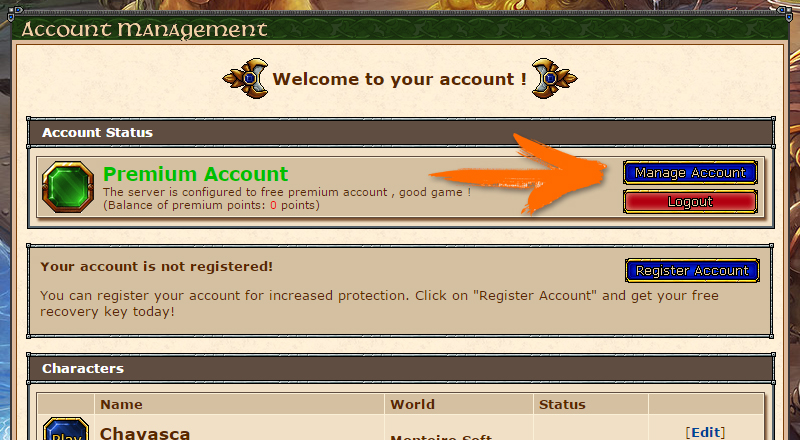
After logging into your account, go to the menu next to the option Manage Account. (Click on the image to enlarge.)
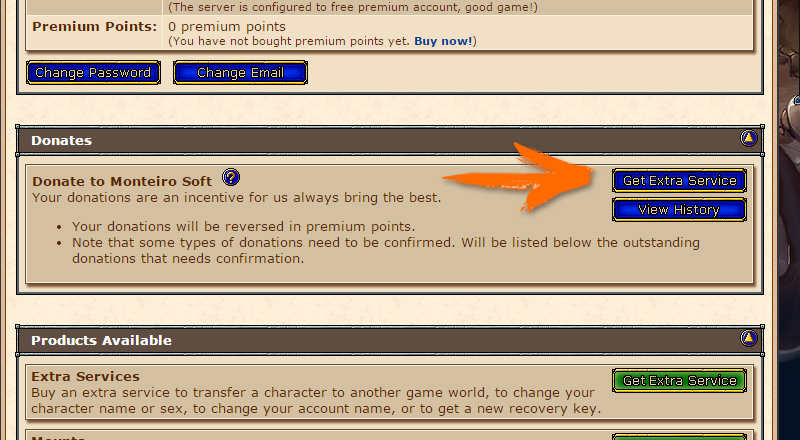
Once you click on manage account, it will open a page containing all the information in your account, then you will click on Get Extra Service. (Click on the image to enlarge.)
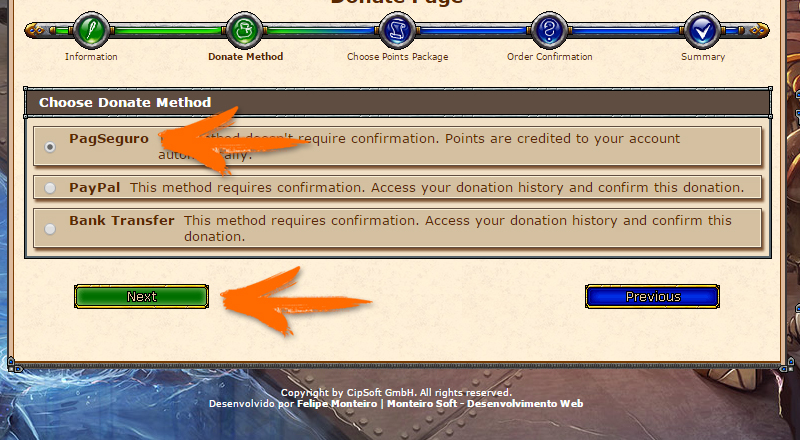
The following screen shows you some information that will make you understand our donation system if you can read everything. After reading, click Next. On the next screen you will see the available payment options. Select PayPal and then click Next. (Click on the image to enlarge.)
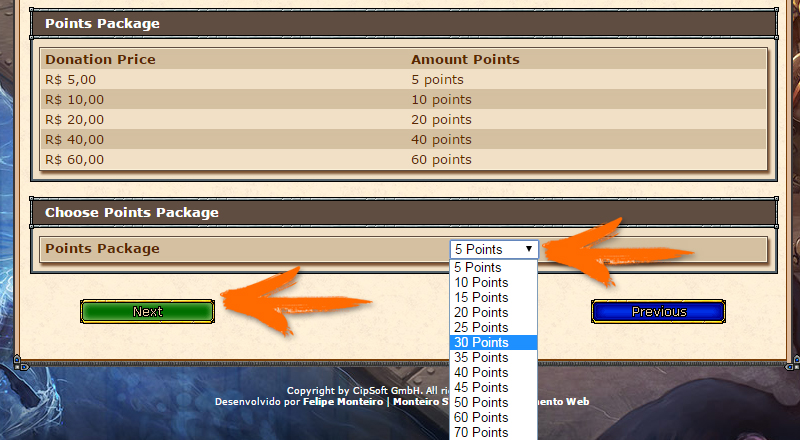
On this screen you can see the available Tibia Coin packages. Choose the package you want and click Next again. (Click on the image to enlarge.)
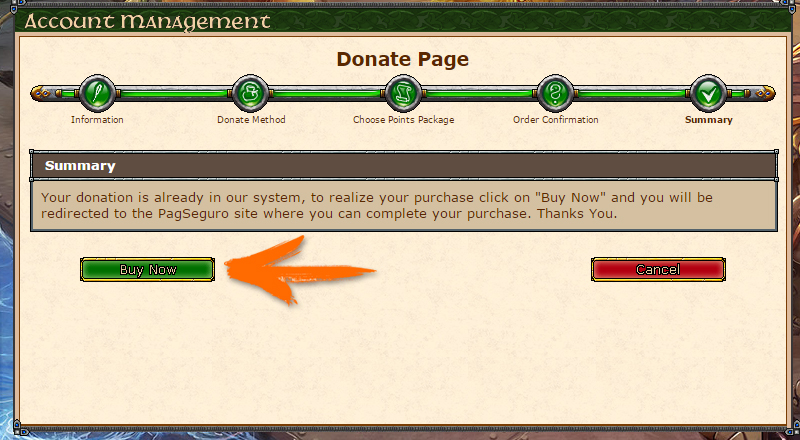
This page is only for reviewing your donation. If the data is correct, click Next. Then click Buy Now to be redirected to PayPal and complete your payment. Important: after a successful payment, your Tibia Coins are delivered automatically. No confirmation is required. (Click on the image to enlarge.)
Donations - Comments
Donations currently work only with PayPal. Make sure your account is properly registered and uses a valid email address in case you ever need to recover it.
After a successful PayPal payment, your Tibia Coins are delivered automatically. You do not need to use Confirm or wait for manual confirmation.